Your friendly advice column for creative course and learning design. All questions in Moodle Mentor come from real Moodlers who write in through Edit Mode — our monthly newsletter for curious course builders, designers, and tinkerers.
Dear Moodlers,
Whether you’re new to Moodle platforms or have been using them for years, there’s always something new to discover. This month, we’re answering your questions about choosing plugins, keeping up with new features, supporting different learning paths, navigating third-party tools, and making sense of Moodle product releases.
Quick note: Every Moodle site is a little different — version, hosting, theme, plugins, etc. — so what works in one place might not apply everywhere. When in doubt, check your settings or ask your admin.
Should I use this plugin?
Great question! It’s very wise to be thinking carefully about what and how to add to your Moodle site. Installing a plugin is a bit like hiring a new team member — you want to know it’s active, reliable, and well supported before inviting it into your platform.
A few things I always look for:
- Compatibility with your Moodle version.
- A recently updated release (plugins that haven’t been maintained for years require extra caution).
- An active maintainer and signs that issues are being addressed.
- Community signals like downloads, favourites, and comments (where available).
Whenever possible, test new plugins on a staging site before installing them in production.
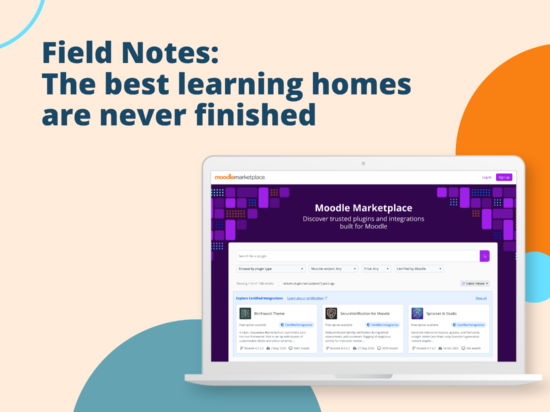
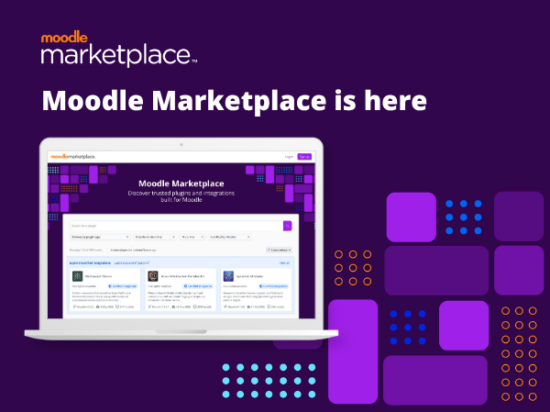
The launch of Moodle Marketplace makes this process much easier. By default, it filters out plugins that haven’t been updated in the last three years, making it quicker to discover maintained, compatible solutions — and giving you the information you need to choose with confidence.
And, if you ever need more advanced help, you can always work with us or a Moodle Certified Partner. We help clients every day find, test, and level up their Moodle sites with plugins and integrations to make their learning dreams come true. 💫🥰💫
Keeping up without keeping up
You don’t have to read everything — just be intentional about where you look.
A few things that help: skim the What’s new Moodle Doc each time a new version comes out, subscribe to Edit Mode (our product-focused newsletter), and keep an eye on what other Moodlers are sharing through events and community forums. You’ll often discover features or plugins solving problems you didn’t even know Moodle LMS could handle.
And I know life gets busy, but don’t forget to explore every now and then. Some of the best Moodle discoveries happen simply by clicking around and asking, “What does this do?”
Two paths, one completion
Yes. If your course offers more than one path to completion — for example, an in-person workshop or an online version — you can configure Moodle so that any of the completion conditions count toward course completion.
In Course completion settings, choose “Course is complete when ANY conditions are met.” You can then combine Manual self-completion or Manual completion by others (for in-person attendees) with Activity completion (for learners completing videos, quizzes, and other online activities).
It’s a flexible way to support different learning journeys without needing separate courses. Just remember that if only certain learners should see the Self-completion block, you’ll need to manage that through role and permission settings.
Finding tools you can trust
It can definitely feel overwhelming. First, make sure you can clearly articulate what your need is. It’s never a good idea to go out looking for a new tool without knowing what your goal for that new tool is. Knowing what you truly need is the most important step — once you determine that, you’ll be in a much stronger position to explore.
Then, the place I recommend starting is with our Moodle Certified Integrations. We’ve recently expanded and strengthened the program, making it even easier to identify tools that have been reviewed by Moodle for quality, security, compatibility, performance, and user experience.
It’s a simple way to narrow down your options — and choose with a little more confidence.
Which version should I be running?
Long-Term Support (LTS) releases have extended security support, making them a popular choice for organisations that prefer fewer major upgrades and a longer support window. Regular releases deliver new features sooner, so they’re a great choice if you like staying current with the latest improvements.
There’s no single “right” answer — it depends on your organisation, your upgrade process, and how quickly you want access to new functionality. Moodle’s Releases page is a handy resource for checking which versions are currently supported, when support ends, and when the next LTS release is due.
And if you’d rather not plan and manage upgrades yourself, Moodle and our network of Certified Partners can help you stay current, minimise disruption, and make sure your site is ready for whatever comes next. We’re here if you need us!
Until next time…
Have a question you’ve been sitting on? Now’s the time. Submit it for next month’s Moodle Mentor — your question might be exactly what someone else needs to hear.