Here at Moodle HQ, we’re constantly talking to our users — at conferences, in interviews, over coffee, and in our community forums. We love hearing about your wins, your headaches, and the clever ways you’re using Moodle platforms to make learning better. Lately, one story keeps coming up: the way an admin’s life changes (for the better!) when an organisation moves from Moodle LMS to Moodle Workplace.
Moodle LMS is flexible, familiar, and widely loved. But when you start juggling complex structures, recurring compliance training, or multiple audiences, Workplace often turns out to be the smoother fit. Here are the top 10 things our users say made the biggest difference in their LMS life, from “helpful” to “how did we ever live without this?”
10. Bulk certificate regeneration: One click, all done
In Moodle Workplace, Certificates and their templates can be managed centrally at the site level. If a design changes or a detail needs updating, you don’t have to touch every course. You simply regenerate the Certificates in one place, and Workplace handles the rest.
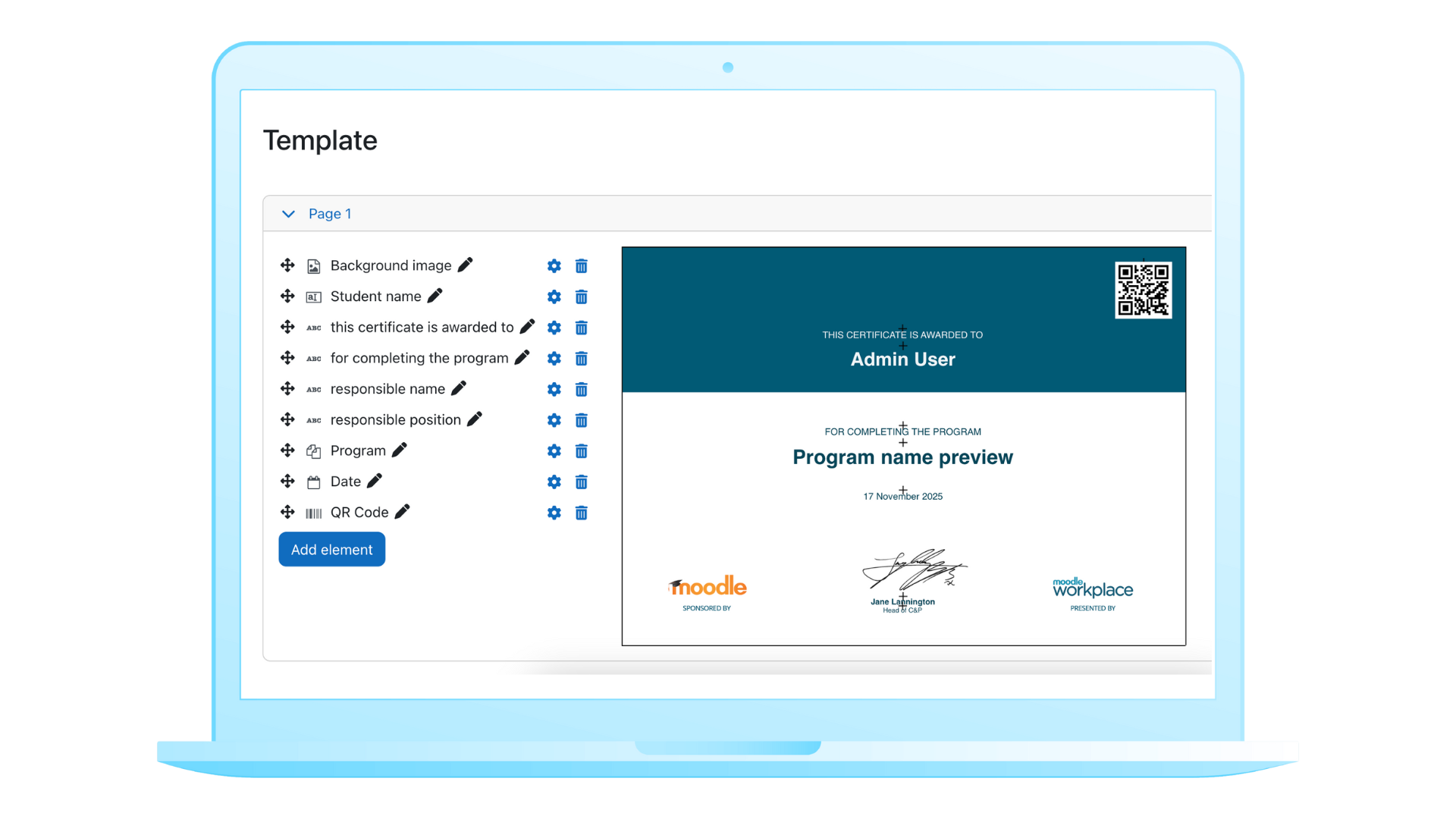

Admins tell us this turns what used to be dozens of repetitive steps into a single, clean update. It saves time, reduces stress, and keeps everyone confident that learners’ certificates are always up to date.
9. Data visualisation: Charts that do the talking
Moodle Workplace brings reporting to life. You can take the data you’ve built in Report builder and display it directly in dashboards or Custom pages for managers, departments, or executives.
You have several visualisation options — bar, line, and pie charts — and each one is interactive. You can filter in real time, switch between table and graph views, or zoom any chart to full screen.
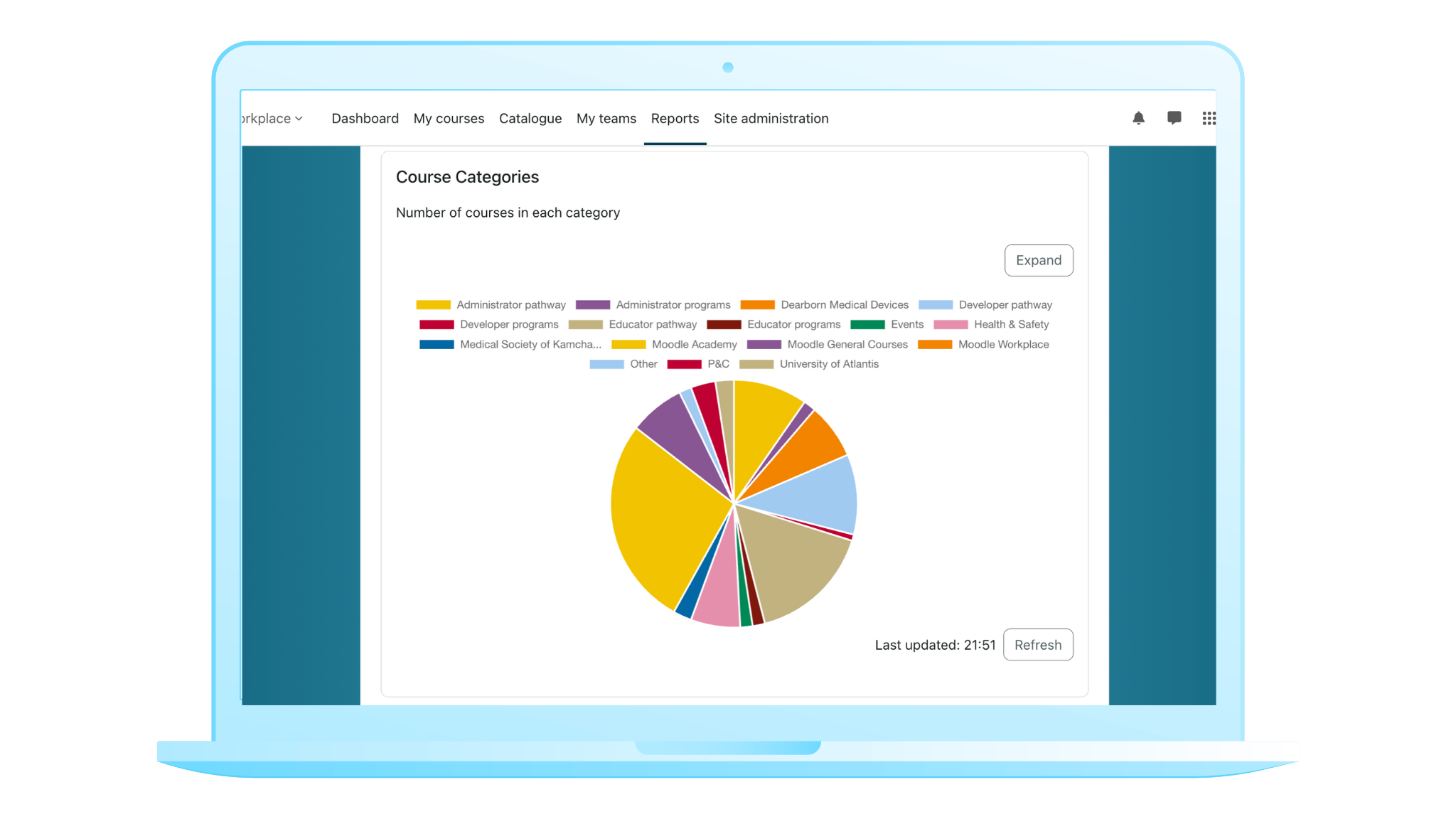

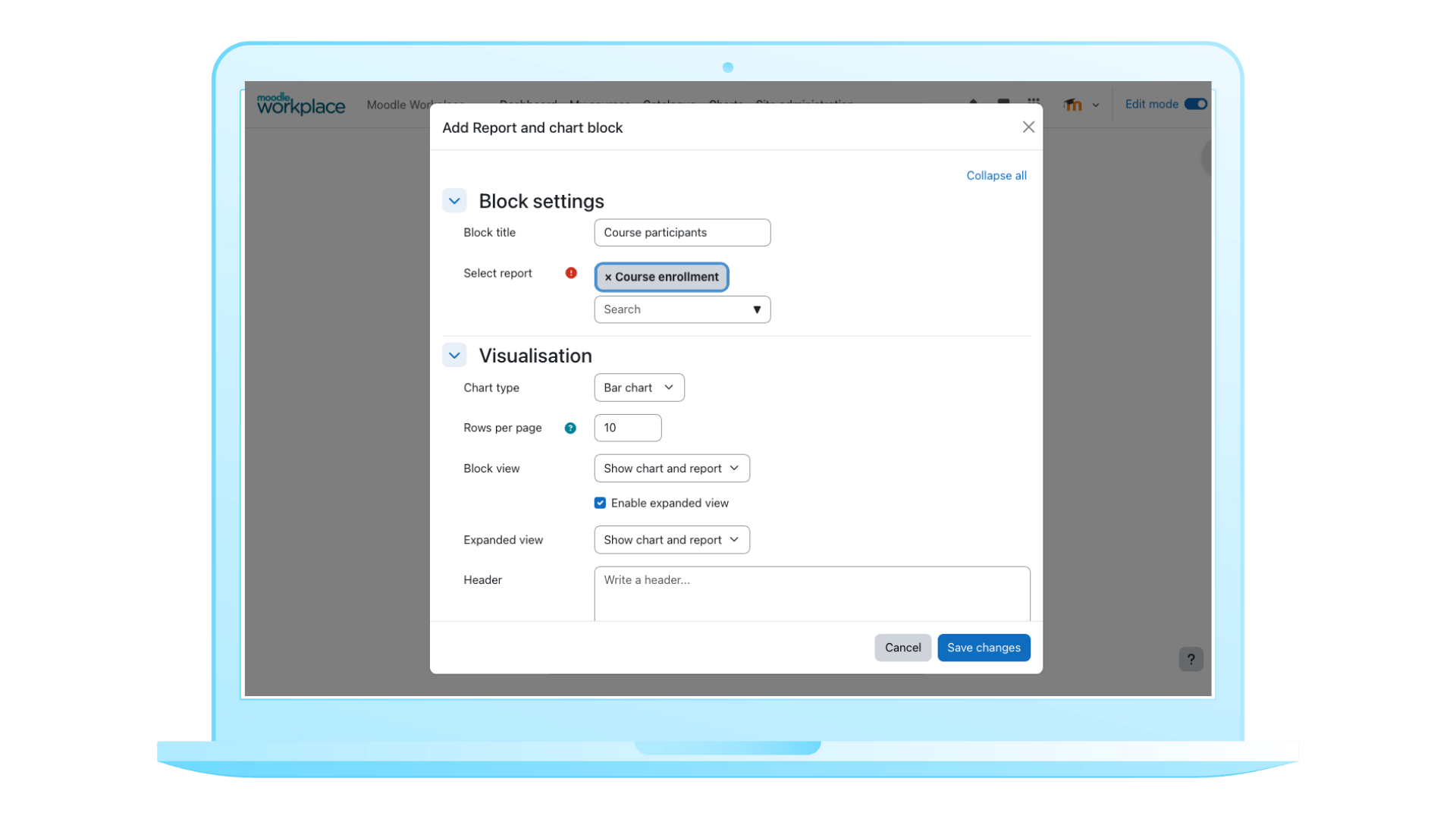
Stakeholders get instant insight without exporting to another tool, making decision-making faster, simpler, and just a little more impressive (who doesn’t love a good chart??).
8. Programs: Courses that stick together
Sometimes learners need to complete several courses as part of a single pathway. Managing each course individually in Moodle LMS can be time-consuming and tricky.
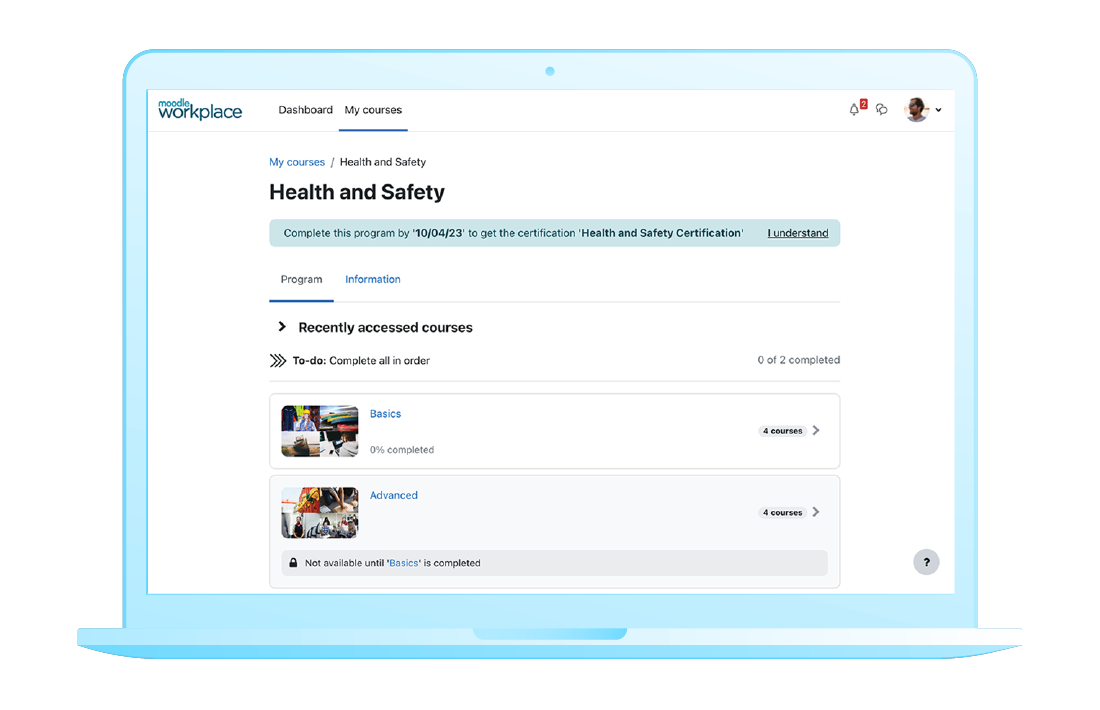
Programs in Moodle Workplace let you group multiple courses into one structured pathway. You can set stages, define completion rules, or let learners make their own way through. Learners can also self-enrol, starting the entire pathway with a single click.

Admins tell us this saves huge amounts of time, keeps learning organised, and makes sure learners follow the journey as intended when structure matters.
7. Learning catalogue: Everything in one place
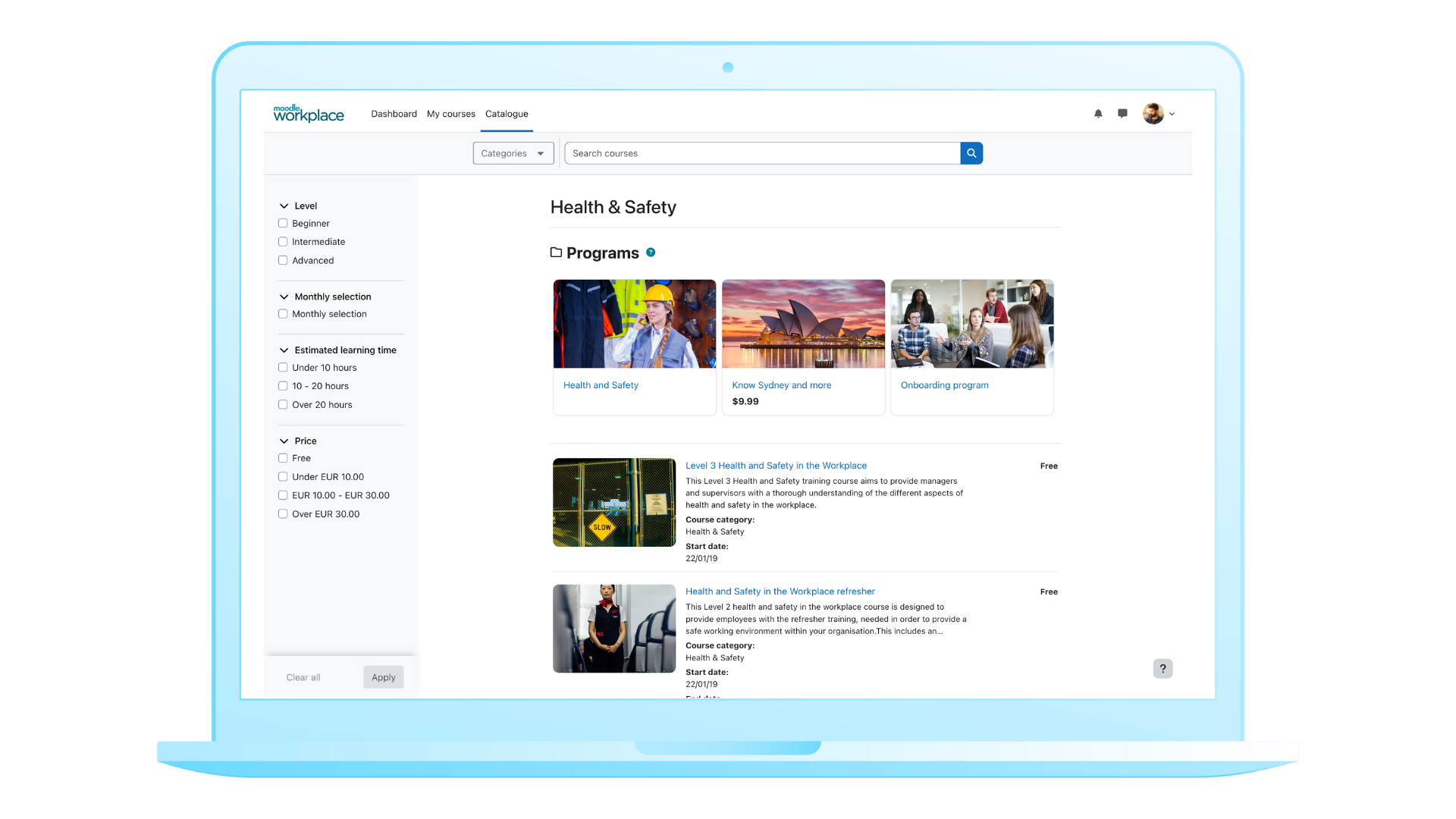
The Learning catalogue gives learners a single, organised view of all available Programs and courses. They can browse, filter, and discover what’s relevant without hunting through menus or links.


As a bonus, courses appear as visual cards, which makes the site more appealing and engaging. This is especially useful for organisations selling courses or trying to motivate learners to explore what’s on offer.
6. Teams management: Oversight without overload
The efficient, built-in tools for team management are something admins consistently rave about in Moodle Workplace. Line managers get a dashboard designed just for them. They can see who has completed what, who might need a nudge, and enrol members of their team into courses, Programs, or Certifications. They also get a clear view of overall team progress.
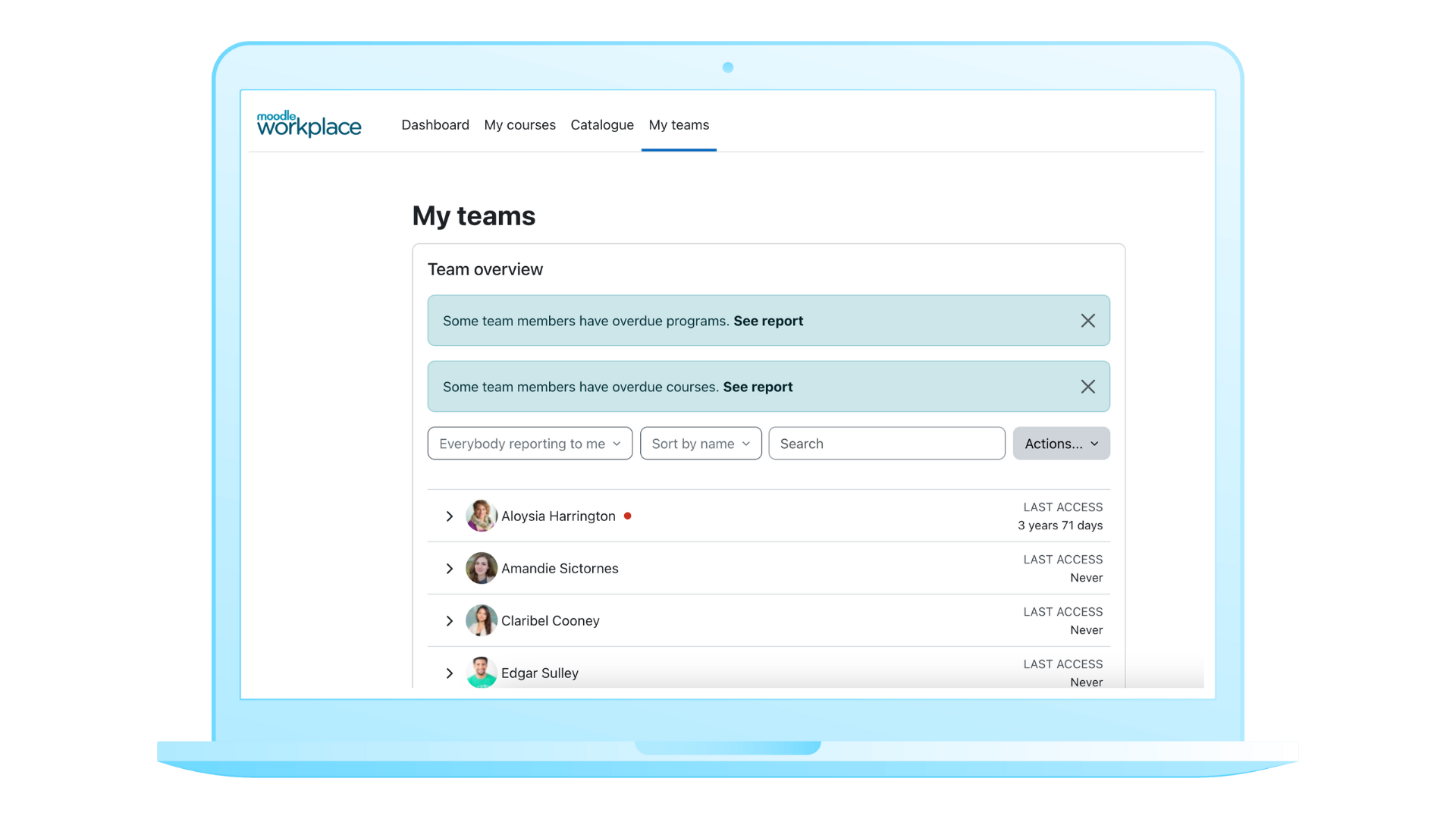


This reduces endless data requests, gives managers real autonomy, and makes life easier for site admins, who no longer need to create complex system-wide roles just to let managers do their job.
5. Certifications: Compliance without the spreadsheets
Let’s be honest — compliance training isn’t exactly thrilling, but it’s absolutely necessary. For organisations with mandatory or recurring training, Certifications take a massive load off the L&D team.
You set the renewal cycle — annually, every two years, every week, whatever you need — and Moodle Workplace will:
- Reset the relevant Program and courses.
- Notify learners that it’s time to recomplete.
- Keep track of who’s due, who’s late, and who’s in compliance.
- Keep everything tidy for audits.
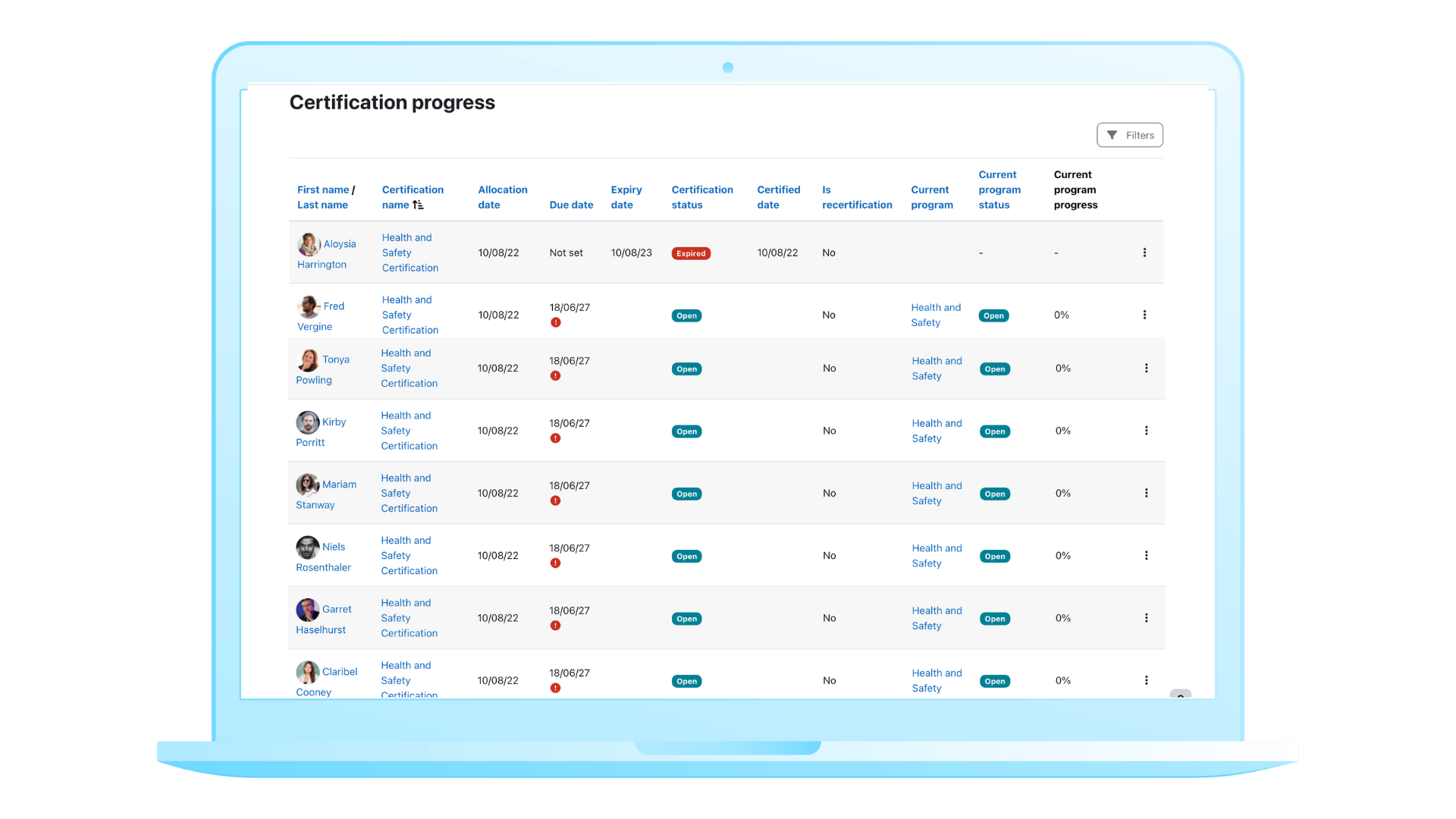
No spreadsheets, no manual resets, no surprises. Staff get more time to focus on learning that actually matters, while Workplace quietly keeps all those necessary compliance tasks on track.
4. Organisation structure: Permissions that aren’t scary
Moodle Workplace lets you model your unique Organisation structure using departments, positions, and jobs. Permissions (such as ability to view reports or enrol team members in learning) flow naturally from that structure, so people automatically get access to the right training and the right oversight.
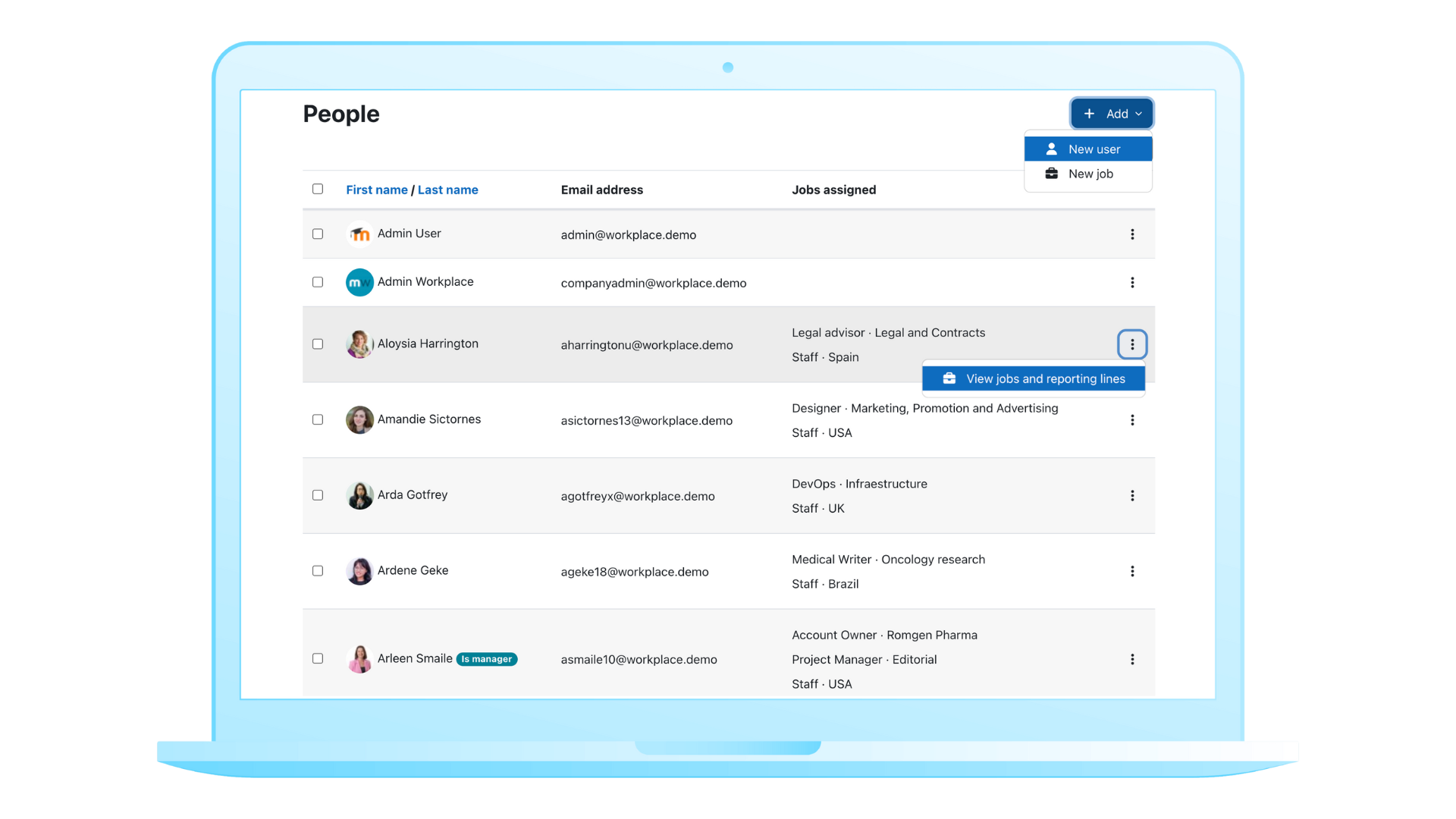
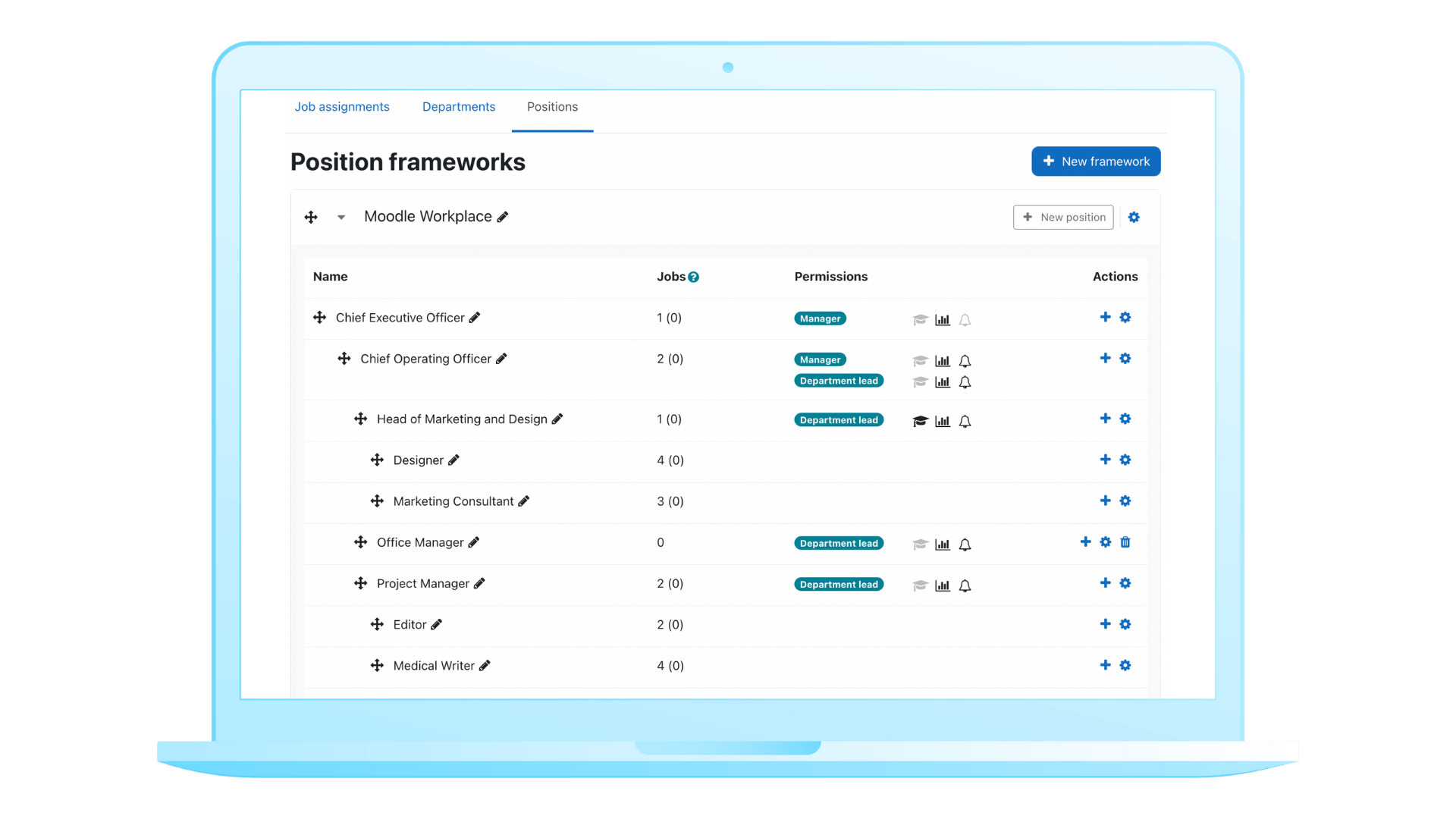
Admins love that it’s cleaner, safer, and much easier to maintain than managing lots of individual system roles. HR managers get the control they need without relying on custom permissions, and system admins can breathe a little easier.
3. Dynamic rules: Automate the boring (but important) stuff
Dynamic rules allow you to automate routine actions on your Moodle Workplace site. For example:
- “When someone joins a department, enrol them into X Program.”
- “When a learner completes a course, issue Y certificate and send Z follow-up.”
- “If someone hasn’t logged in for 30 days, send a reminder.”
Once you set the rules, Moodle Workplace quietly handles the rest.

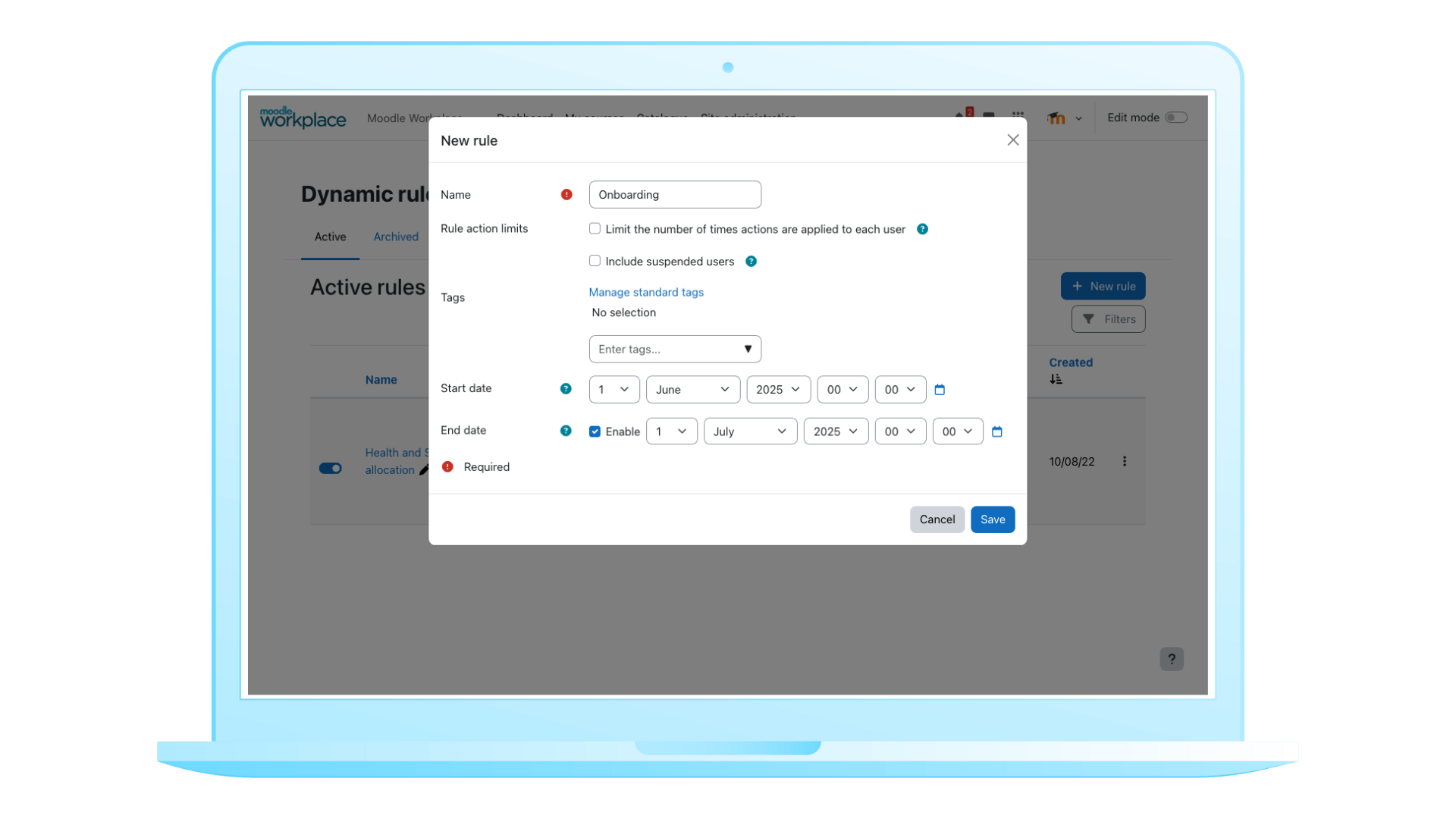
Admins say this is one of the biggest time-savers, letting staff focus on designing great learning instead of repetitive admin tasks.
2. Multi-tenancy: One site, many audiences
Many organisations moving to Workplace were juggling multiple Moodle LMS sites for different groups — separate logins, branding, and admin tasks everywhere.
With Moodle Workplace, it’s all under one roof. You can create multiple tenants (fully separate learning spaces), each with their own courses, branding, dashboards, and roles, while you still manage everything centrally.


Admins consistently call this life-changing. Going from managing lots of Moodle sites to just one makes everything easier and less stressful, while each audience still gets its own personalised experience.
1. Same Moodle you know and love
The number one thing people mention: moving to Moodle Workplace doesn’t mean retraining everyone, which we know can be challenging and time-consuming.
Moodle Workplace is built on the foundation of Moodle LMS, with the same course-level interface learners and educators already know, plus all the enterprise tools layered on top. Everything you know and love about Moodle LMS — a robust plugin ecosystem, WCAG 2.2 AA compliance, and the freedom to make it your own — comes with you into Moodle Workplace.


Admins, we hear you — change can be daunting. But Moodle Workplace makes the transition easy. Organisations can grow and adapt without losing the familiarity and comfort that they, and their people, rely on.
Know an admin who could use a little time back?
The more we talk to Moodle admins, the more we hear the same thing: Moodle Workplace works with the way your organisation already does things, instead of expecting you to work around the platform.
Moodle LMS is still the right home for many teams who are happy with what they have now. But if you know an admin who could use a little time back in their week, Workplace can make a real difference. If you are curious about what this might look like for your organisation, we are always here, ready to listen.